
Caretaker Features
Caretakers are family members, friends, or guardians who support a visually impaired person. The app gives you real-time visibility into the VIP’s day, ways to communicate, and tools to help — without being intrusive.
Home Screen
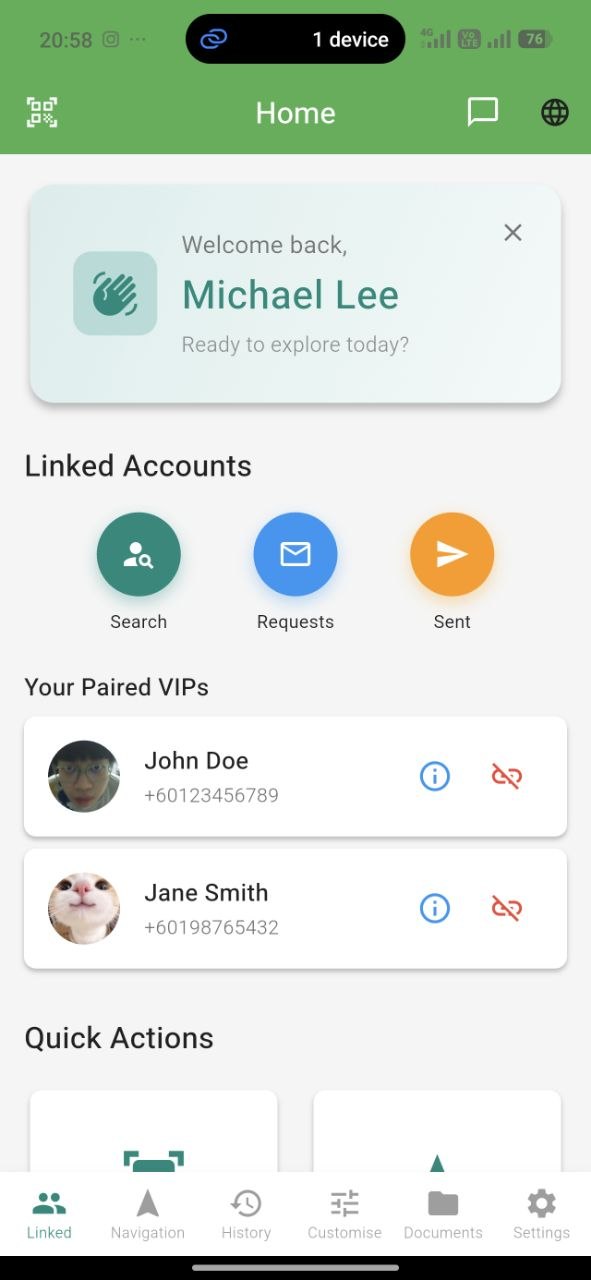
Your home screen is organized around the VIPs you support — with quick access to live tracking, chat, and history.
Linking with a VIP
Linking is secure and requires the VIP’s consent:
- Go to Pair Device
- Ask the VIP to open the Pair Device screen in their app
- Scan their QR code
- The VIP approves the link
- You’re connected — a chat conversation is created automatically
Live Navigation Tracking
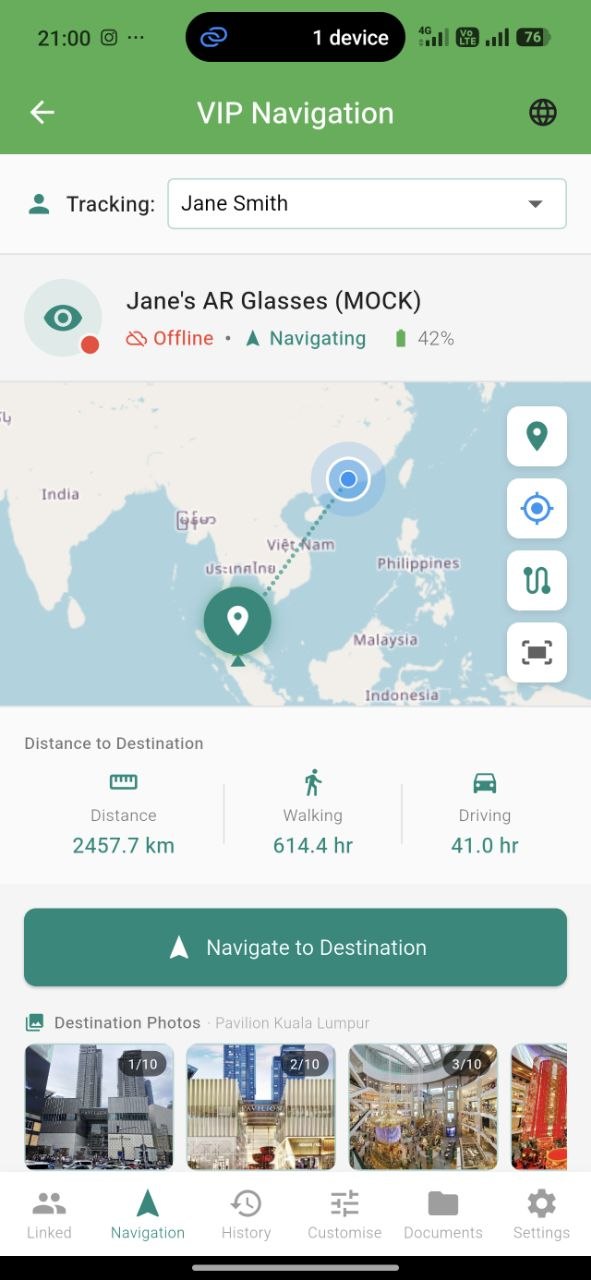
When the VIP starts navigation, you can monitor their journey in real time:
- See their live position on a map
- View the planned route and destination
- Track distance remaining and estimated arrival time
- Get alerts if they go off-route
- See when they arrive safely
The map updates continuously while navigation is active. It stops when the route ends.
Detected Faces
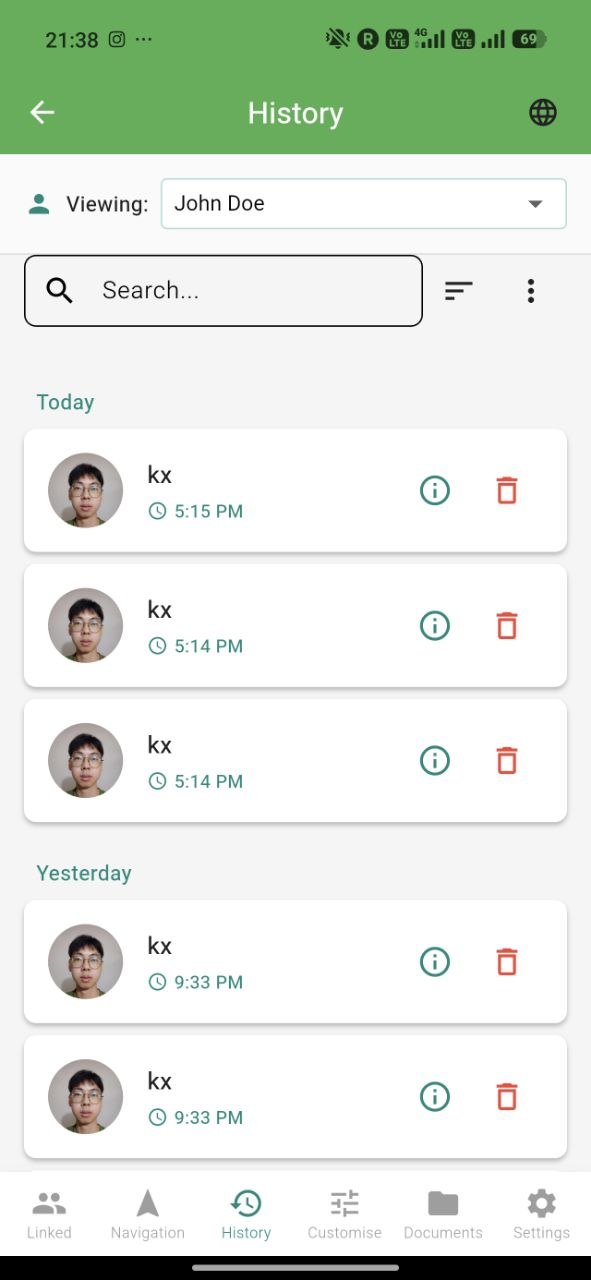
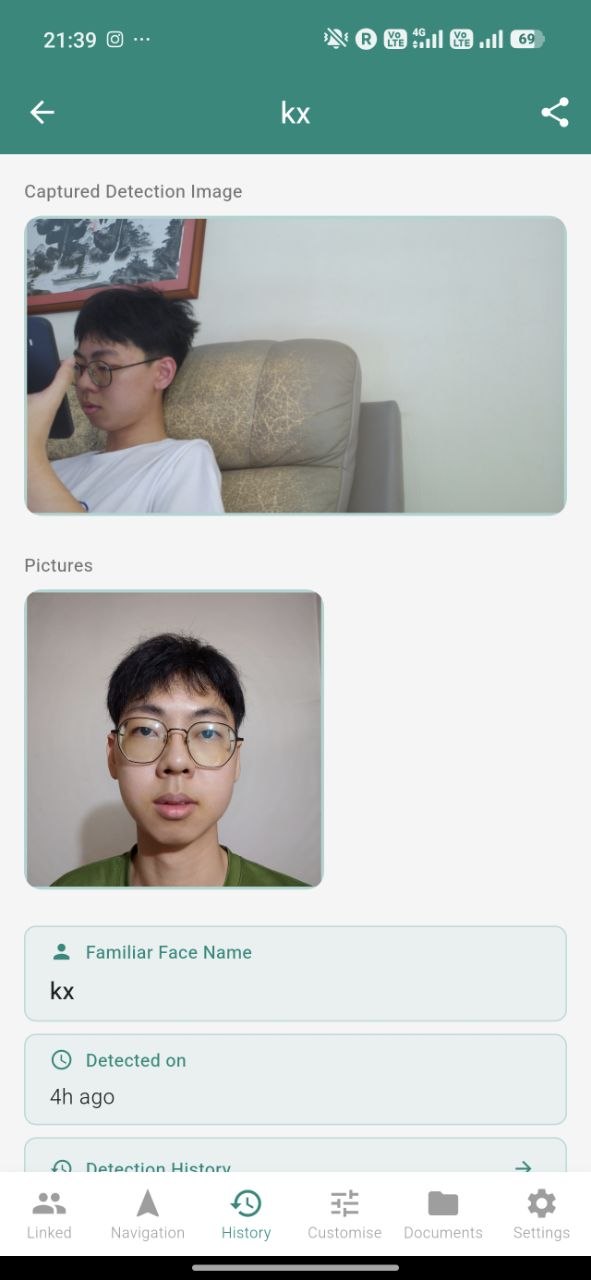
See who the VIP has encountered. Every face the glasses recognize gets logged with:
- The person’s name (as registered by the VIP)
- Timestamp — when they were seen
- Location — where the detection happened, shown on a map
- Snapshot — the image captured at the moment of recognition
This gives peace of mind — “I know she just met someone familiar at the clinic this afternoon.”
Visited Location History
Browse where the VIP has been over time. Same rich timeline and map as the VIP sees in their own app — filterable by date, searchable by place name.
Shared Documents
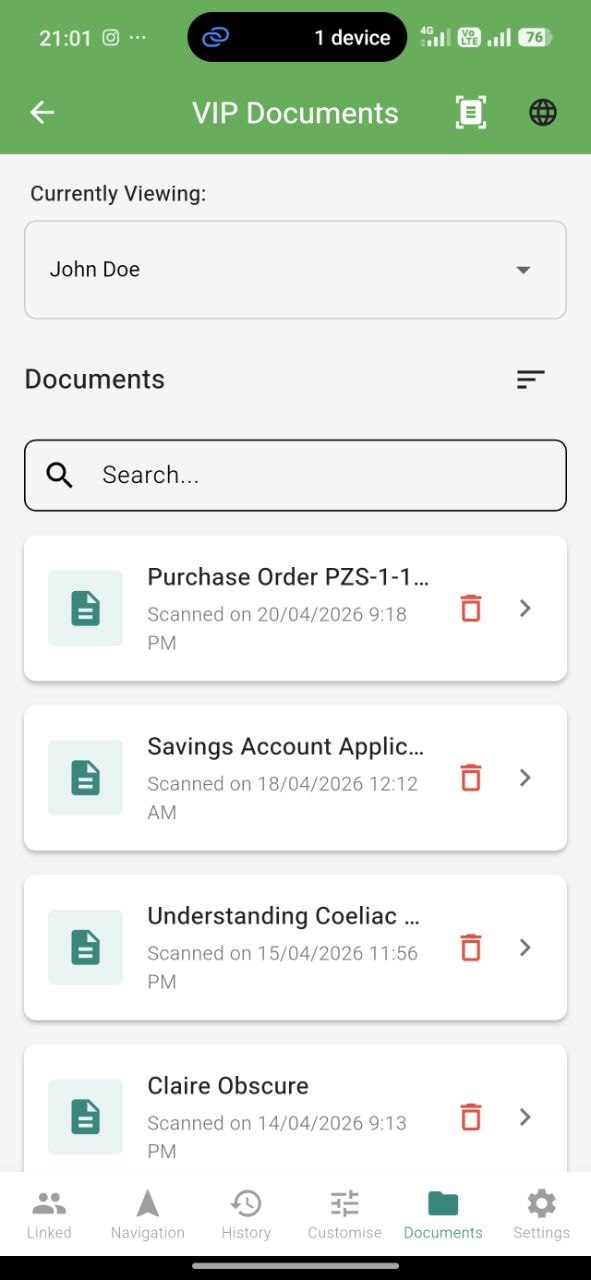
Any document the VIP scans and shares with you shows up here. Each has:
- The full extracted text
- AI-generated summary
- Original photo
This is especially useful for forms, letters, or notices the VIP might need help understanding.
Chat & Rich Sharing
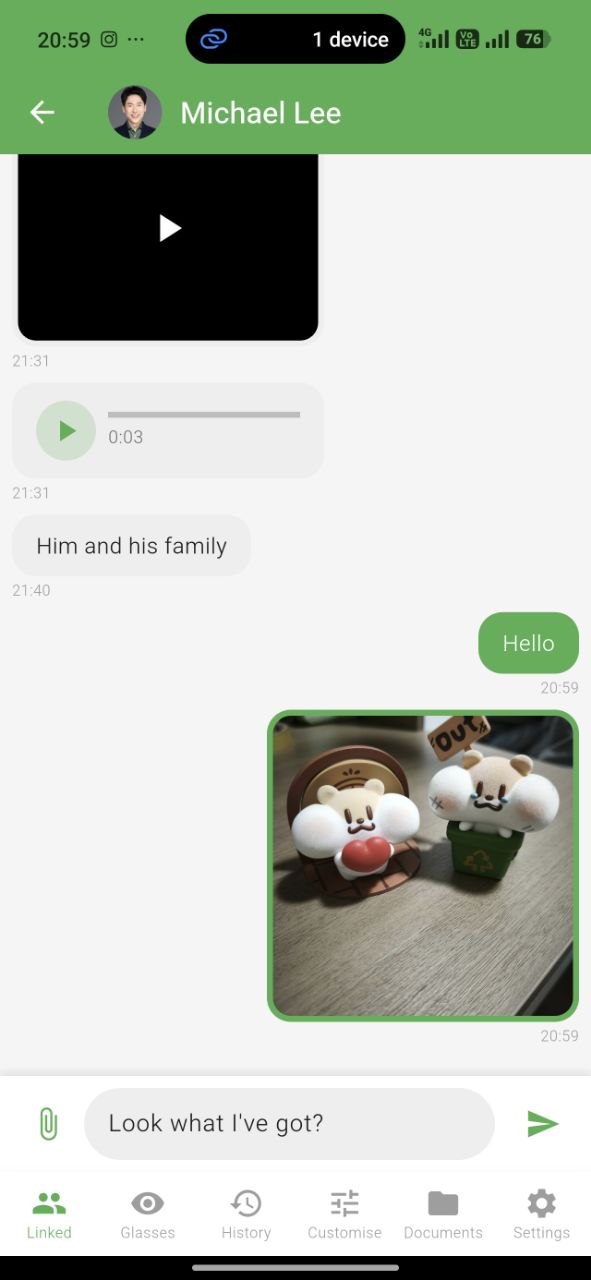
Chat with text, voice, images, and videos. You can also share:
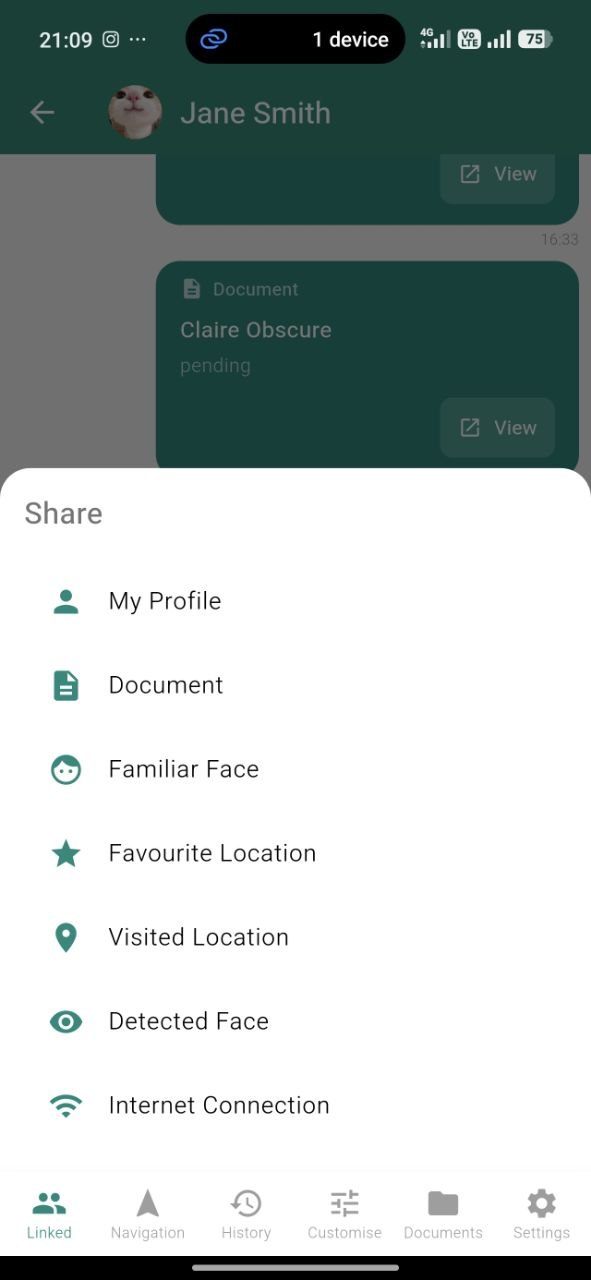
- A new face — so the VIP’s glasses can recognize them instantly (great for “this is your new neighbour”)
- A location — a favourite spot or a visited place
- A document — anything scanned or saved
- WiFi credentials — help the VIP connect to a new network from anywhere
Anything you share appears seamlessly in the VIP’s app.
Permissions — What You Can and Cannot Do
You can
- View the VIP’s detected faces, locations, and documents (that they’ve agreed to share)
- Monitor live navigation
- Chat with text, voice, media, and shared items
- Share new faces, locations, documents, WiFi
You cannot
- Modify the VIP’s settings or customizations
- Control the glasses directly (turn on features, issue voice commands)
- Access private data the VIP hasn’t shared
- See their camera feed or voice recordings
The VIP can revoke your access at any time by unlinking.
Notifications
Get push notifications for:
- New messages from the VIP
- Navigation starts / ends / off-route alerts
- Shared items received
All notifications can be customized in Settings.