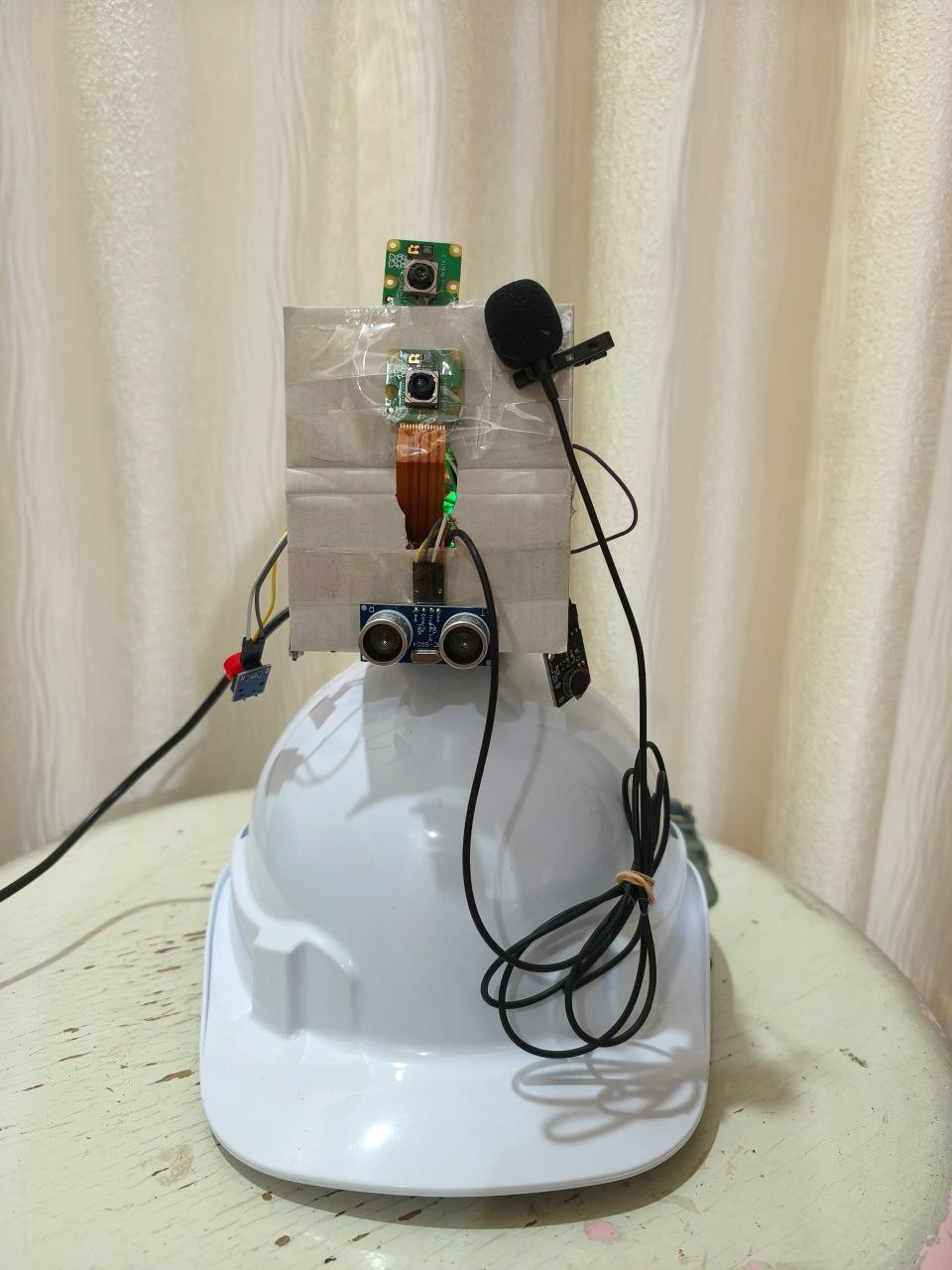
Smart glasses and a mobile app working together to help visually impaired individuals navigate life with confidence — voice-controlled, AI-powered, and always connected with caretakers.
Voice-controlled smart glasses that describe your world, warn about obstacles, and help you navigate anywhere.
Push a button, speak naturally. Works in English, Chinese, and Malay. Responds in under 10 seconds.
Ask *"What do you see?"* — VISION describes the scene, prioritizing people and vehicles first.
Continuous distance sensing with urgency levels — closer obstacles get louder, faster alerts and stronger vibration.
Recognizes multiple familiar people in view at once. Automatic, no command needed.
Voice-guided directions with off-route warnings. Save favourite places and navigate by name.
Point at any document and say *"Scan document"*. VISION reads it aloud and saves a summary to your app.
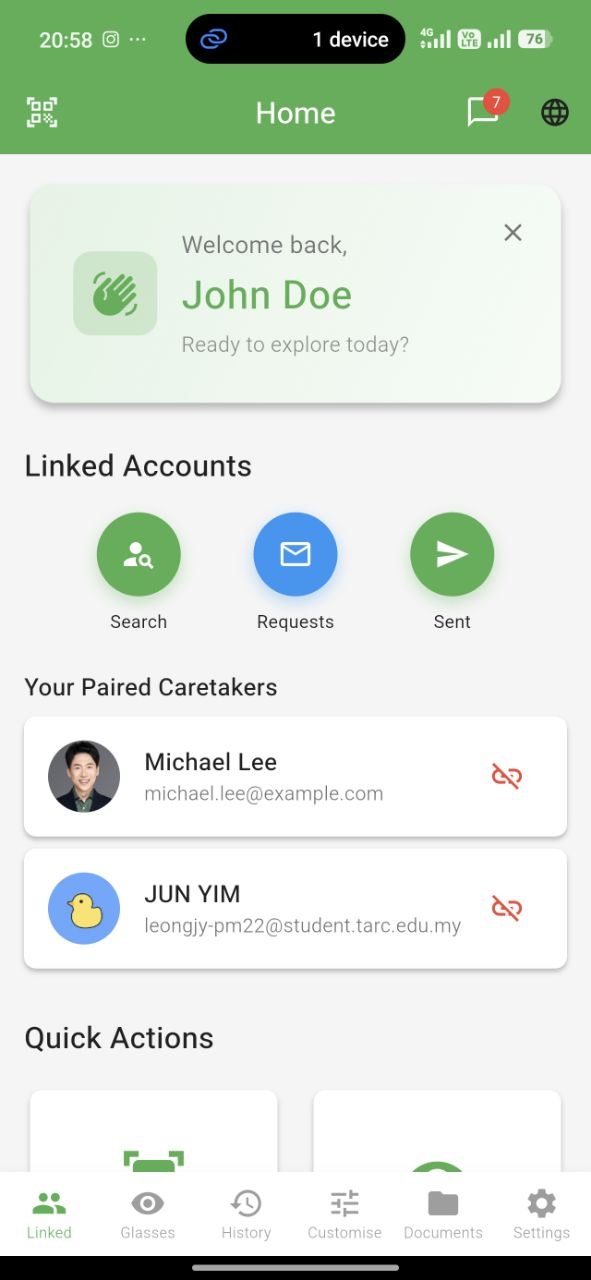
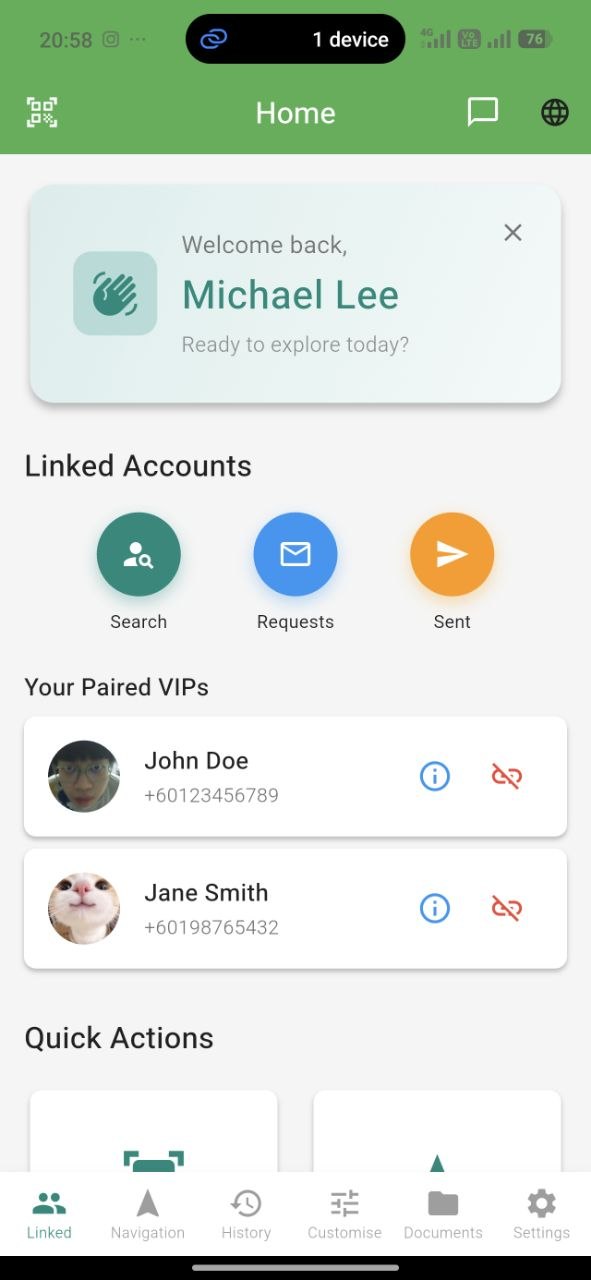
A dedicated app for the user and their caretakers — to stay in sync, share support, and manage everything.
The VIP home screen brings familiar faces, documents, locations, and messaging into one simple, tab-based interface designed for accessibility.
Caretakers get a dedicated home with quick access to every linked VIP — live navigation, detection history, and chat — no matter where they are.
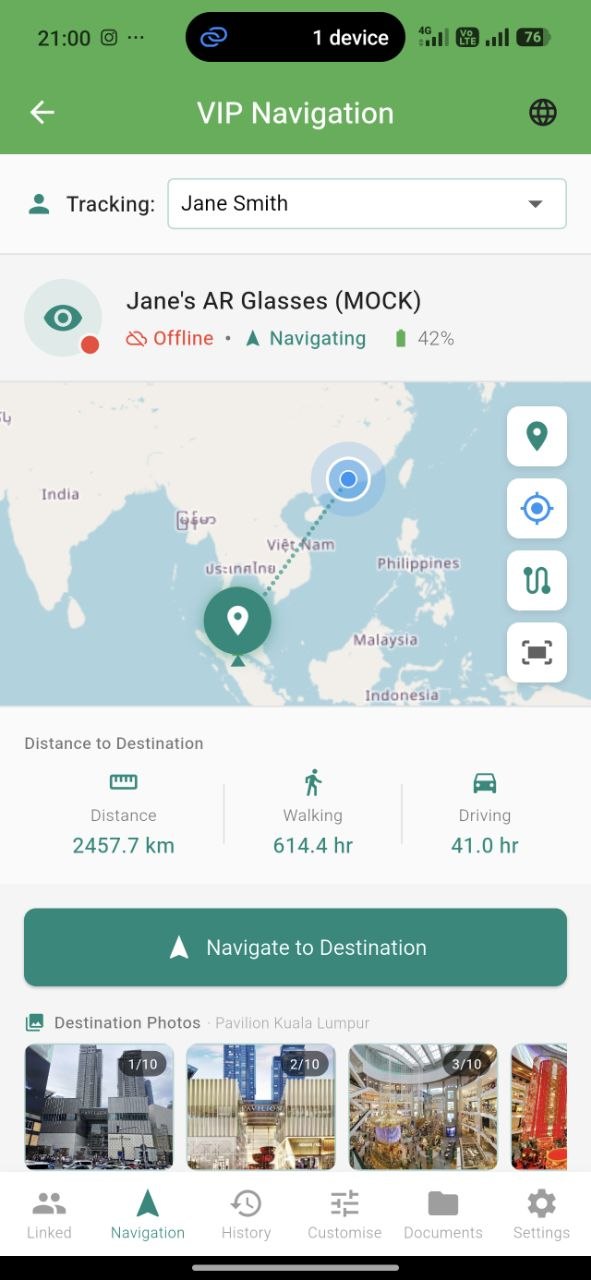
While the VIP navigates, their caretaker sees the live route, position, distance remaining, and ETA — automatically updated in real time.
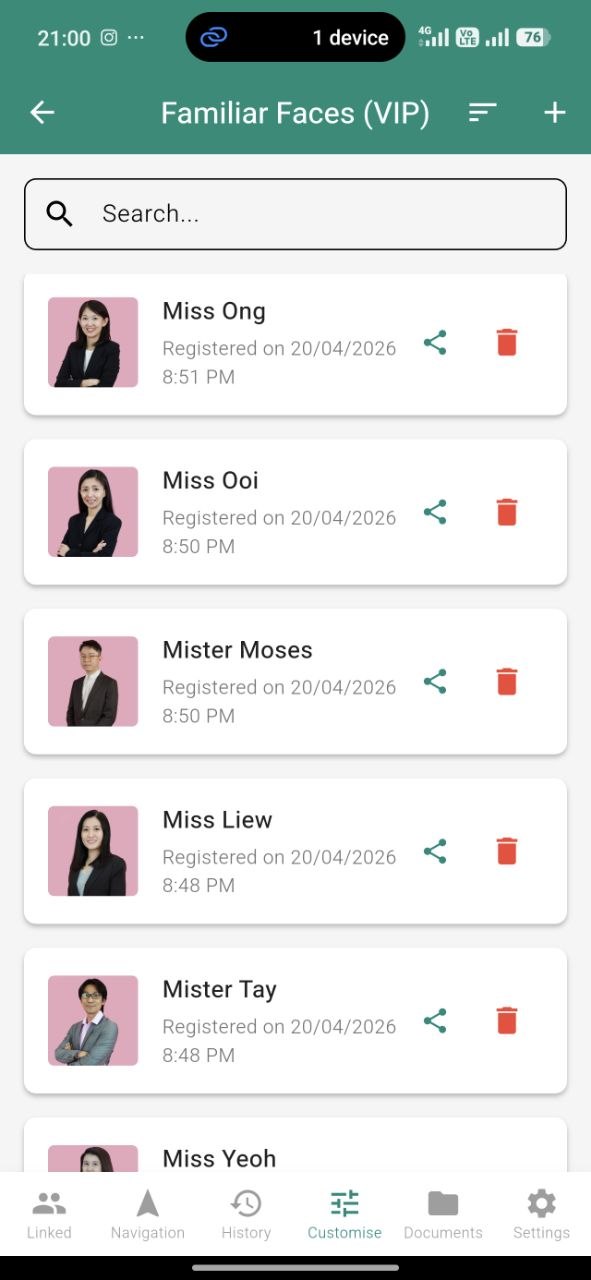
Register familiar faces with a single photo. They sync to the glasses instantly so VISION can announce them the next time it sees them.
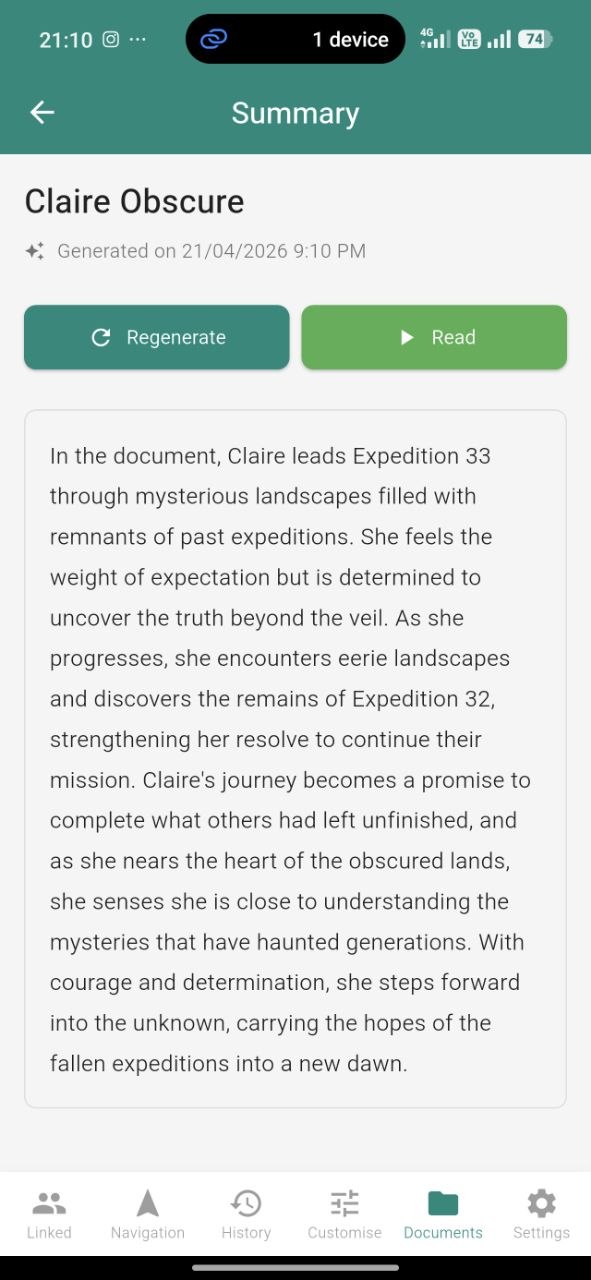
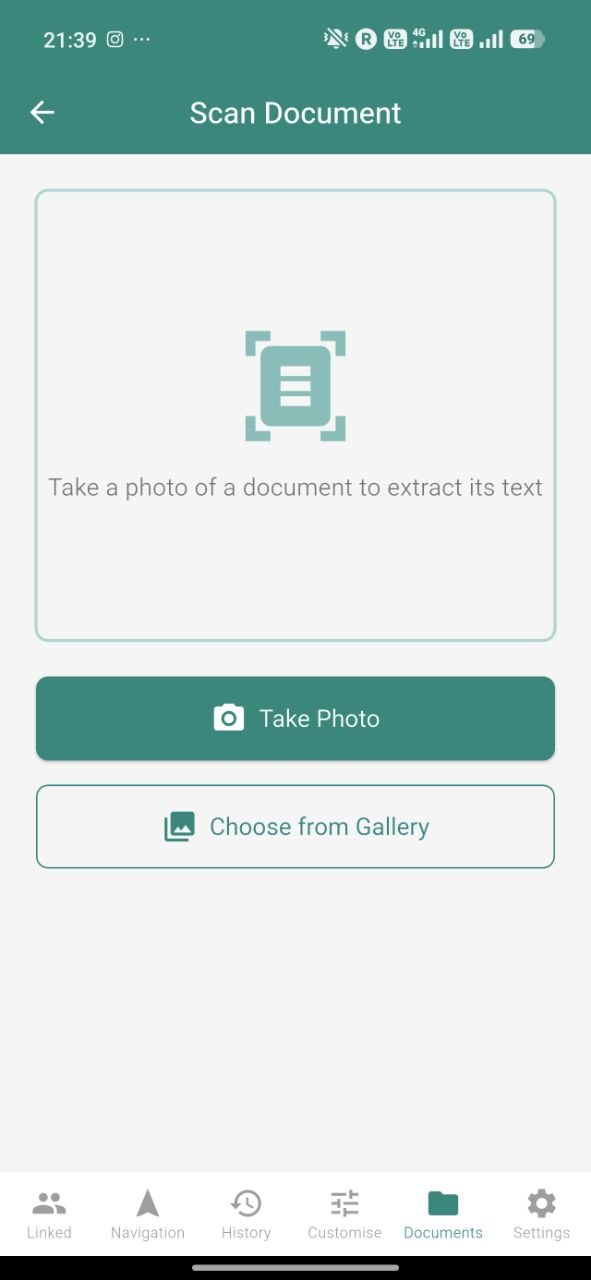
Every document scanned by the glasses lands in the app — full text, AI summary, and original photo. You can also scan straight from your phone's camera.
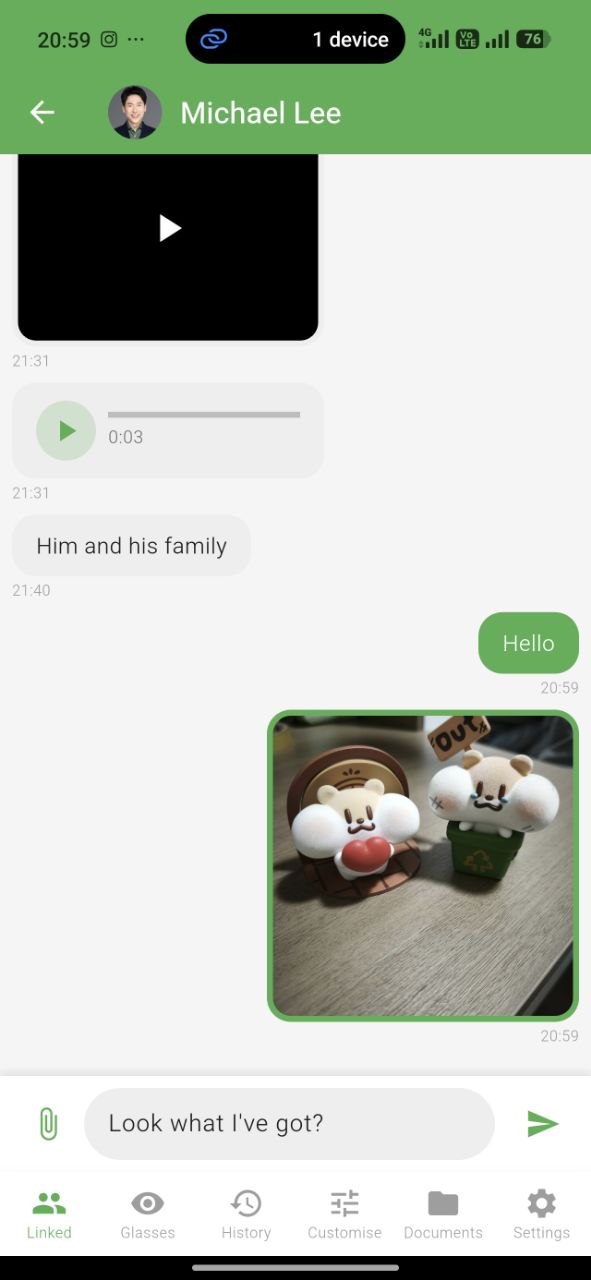
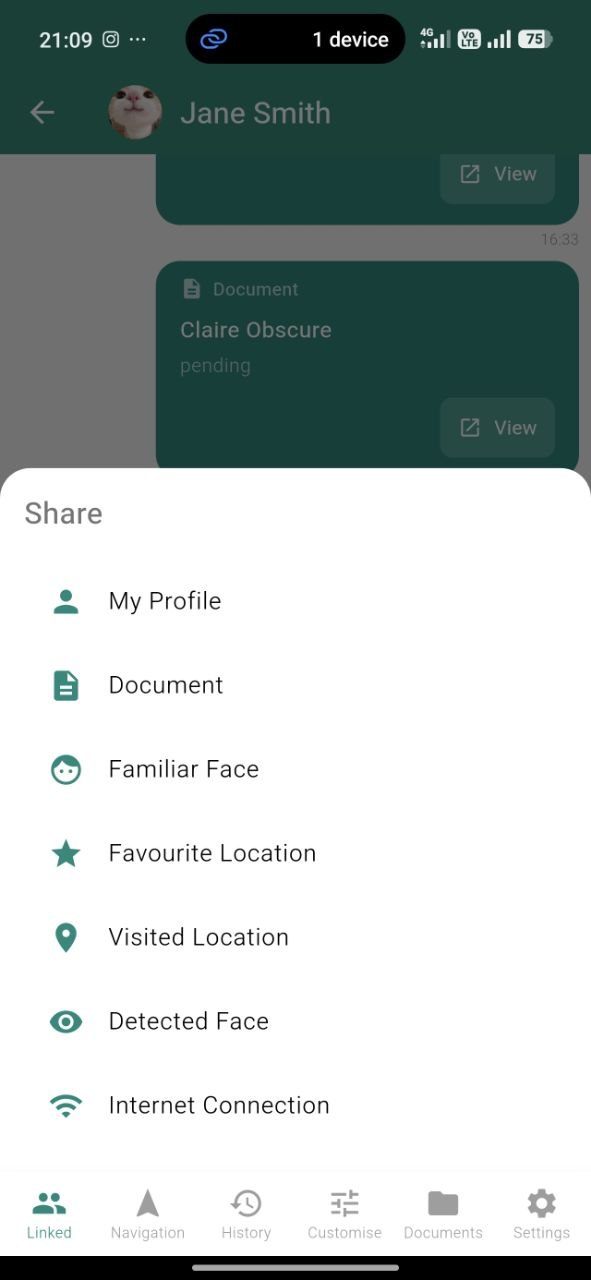
Text, voice, image, video — plus a unique share menu to send documents, faces, locations, or even WiFi credentials directly into a conversation.
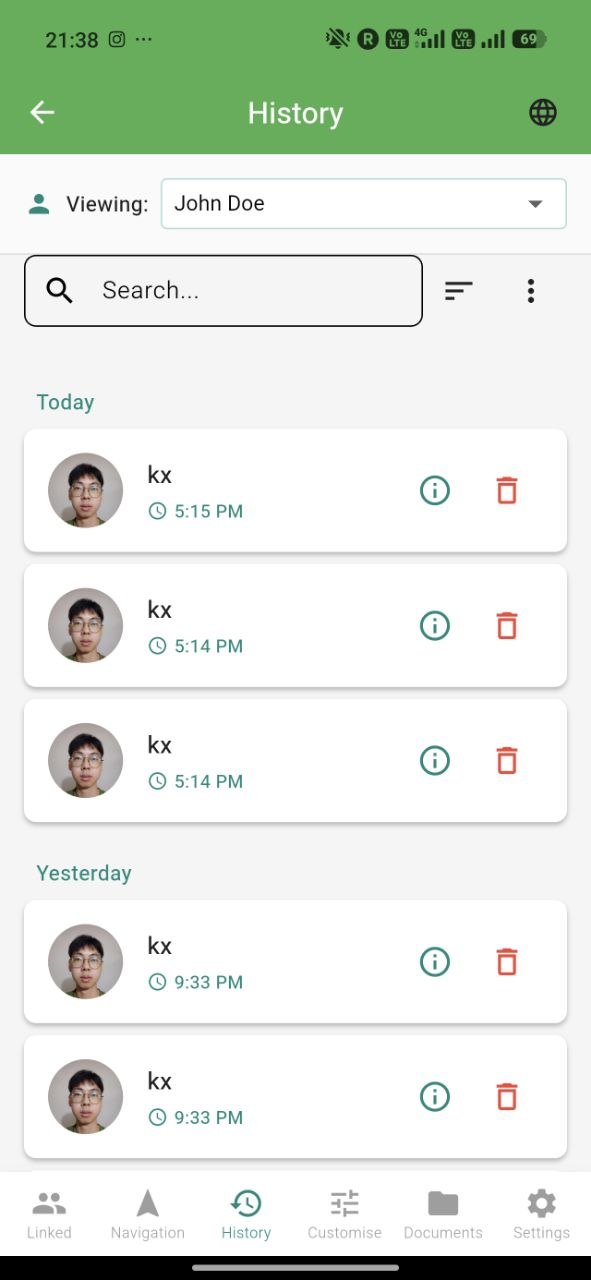
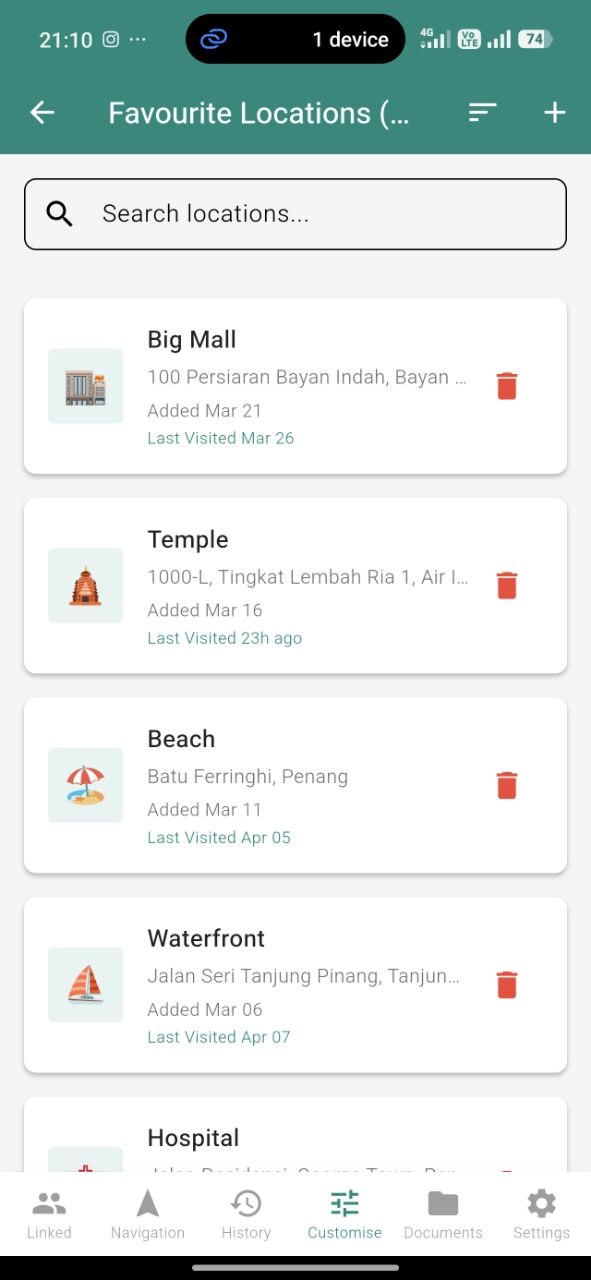
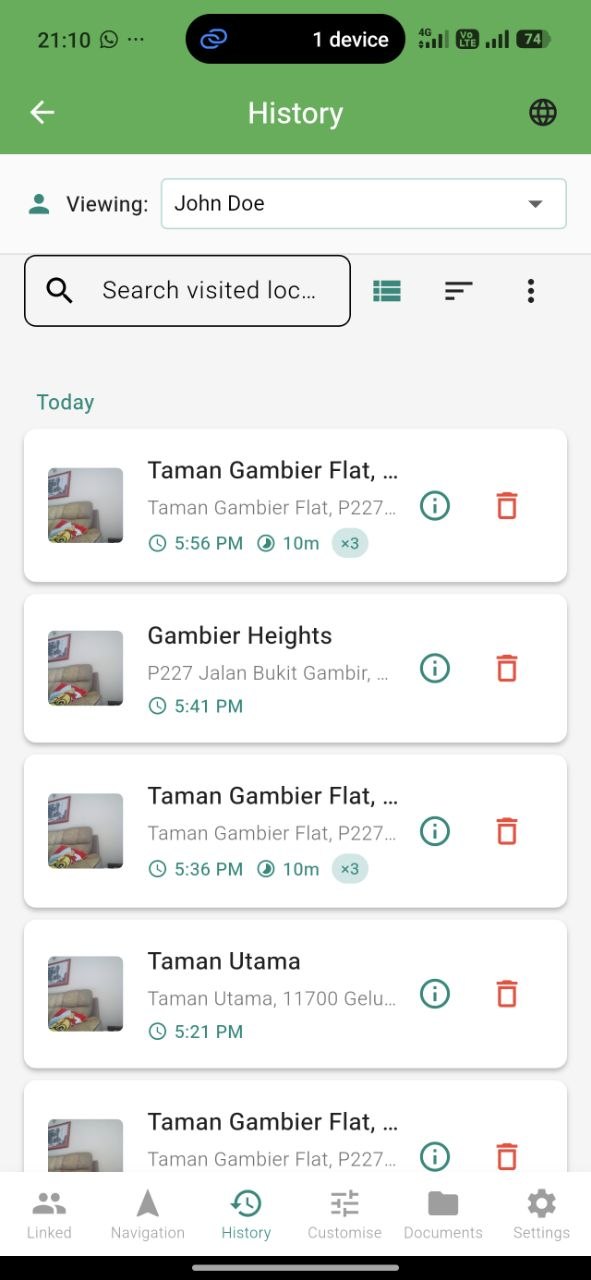
Save favourite places with custom names and emojis for instant voice navigation. Review everywhere you've been with filterable history.
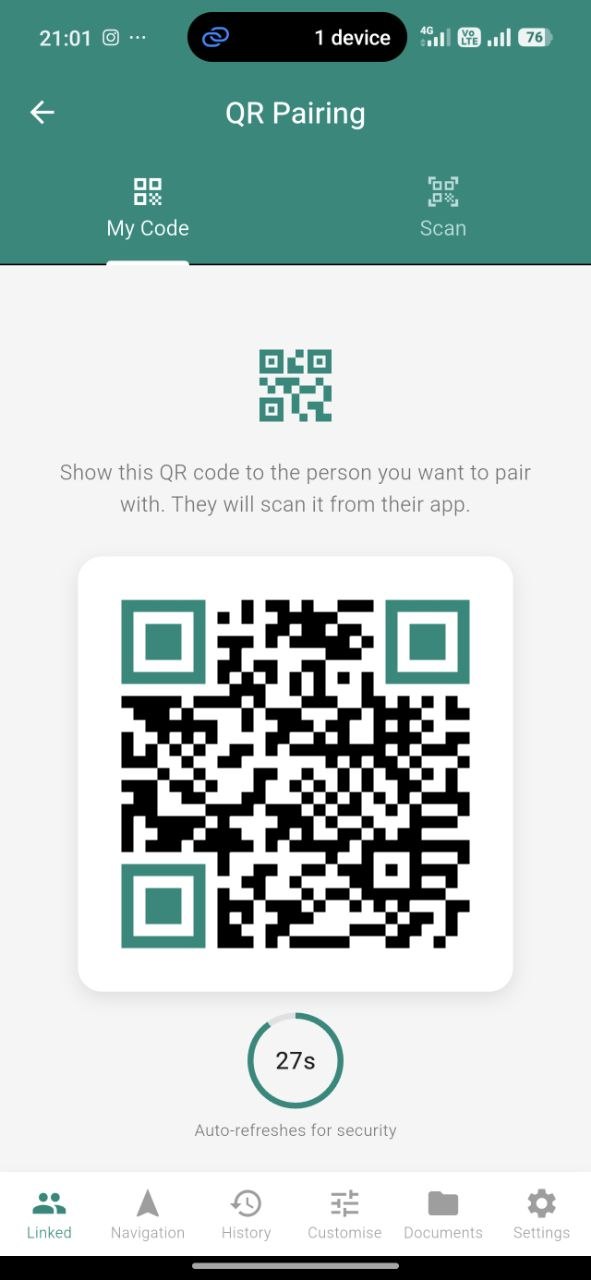
Connect a caretaker with a single QR scan. Each QR is short-lived and single-use, so only the person you trust gets access.
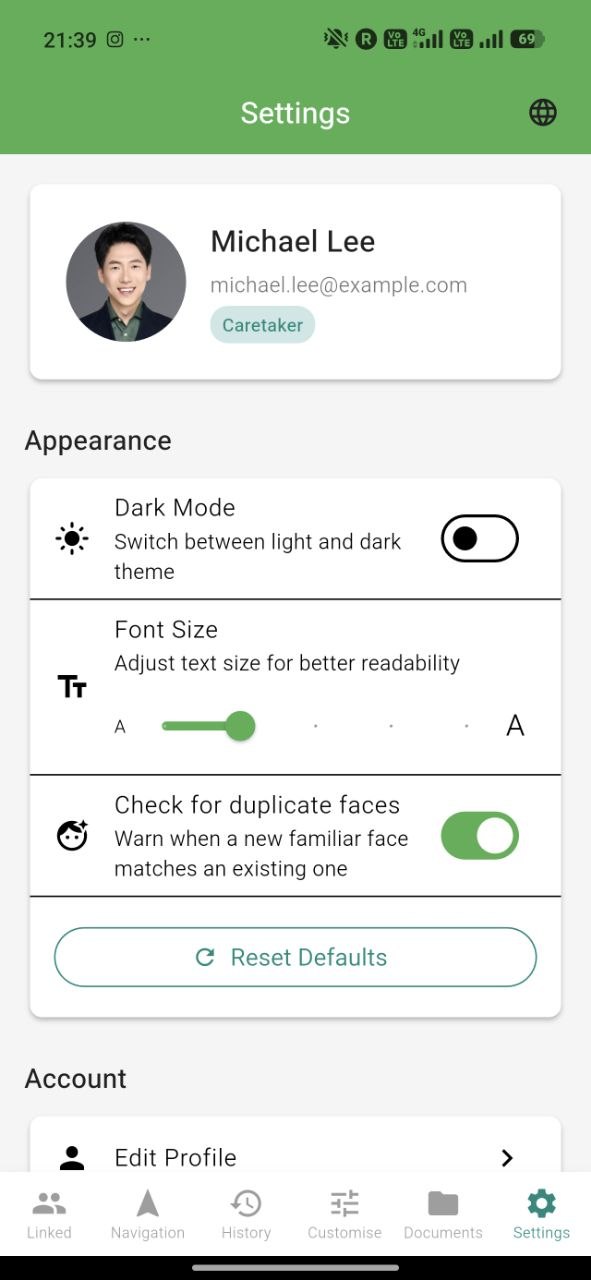
Dark mode, adjustable font sizes, language switching, and per-category notification control. The app adapts to your preferences, not the other way around.
Get started in minutes
Install the VISION companion app on your Android phone — free and ready in minutes.
Scan a QR code to link your phone with the glasses. A single tap is all it takes.
Ask anything in English, Chinese, or Malay. VISION responds in under 10 seconds.
"Describe what's around me"
"I see a person ahead and a bench to your left."
Designed for reliability, speed, and everyday assistance
On-device AI describes scenes, identifies objects, and warns about obstacles — without relying solely on the cloud.
Recognizes multiple familiar people at once using secure mathematical embeddings — never raw images.
Industry-grade speech recognition and human-like voice response in English, Chinese, and Malay.
Capture any document — printed or handwritten — and get it read aloud with an AI-generated summary.
Turn-by-turn directions with off-route warnings, stationary check-ins, and resumable routes.
Ultrasonic distance sensing plus haptic vibration feedback — obstacle alerts you can hear and feel.
Gain independence with AI-powered assistance at your voice command.
Support your loved ones remotely while respecting their independence and privacy.
VISION is a combination of smart glasses and a companion mobile app. The glasses are voice-controlled and use AI to understand your surroundings. They sync with your phone through the cloud so caretakers can stay connected and support you remotely.
VISION supports English, Chinese (Mandarin), and Malay — for both voice commands and spoken responses.
Most voice commands are handled in under 10 seconds — from button press to spoken response. Simpler commands respond even faster.
The glasses work independently for core features once paired. The mobile app unlocks extra capabilities: adding familiar faces, saving favourite locations, reviewing documents, and caretaker messaging.
Caretakers install the same app and link via a secure QR code. Once linked, they can monitor live navigation, view detected faces and locations the user has shared, and chat with rich media — all while respecting the user's privacy.
Core safety features like obstacle detection and scene description work even with a weak connection. Navigation, face sync, and messaging require an internet connection via WiFi or mobile data.
Join the waitlist to be among the first to receive VISION smart glasses and transform how you navigate the world.
We respect your privacy. No spam, ever.